

Business

Over 400 wall printing operators in one place, each with their own hands-on experience. That’s the wall printers⁺ community: a private Slack chat where business owners share what they know and help each other out.
For many people, wall printing is their first business. Plenty of questions at the start are completely natural, and the people who learn fastest are the ones who ask. Almost everyone has been through this stage.
We went through around 120 threads from the chat over the past few months. Below you’ll find the 5 topics that come up most often, plus real stories of operators the community helped. To protect their privacy, we’ve changed their names.
The 5 topics beginners ask about most
Most early questions are about:
- Setting up and calibrating the printer
- The printhead and ink
- Surfaces and protecting the print
- White underbase
- Graphic files from clients
You’re never on your own with any of these. On Slack you get two layers of support: our technical team and the operator community (included with the Standard or Premium package, or with 360° Support).
From what I see, the community is genuinely alive. These days a question gets answers not just from our team, but also from operators with their own experience. That’s why we encourage people to post in the community channels, not only to message the technical team privately. That way, more people can join the discussion.
Every day, beginners run into questions they don’t know the answer to, but the community has already worked through in practice. With a community this big (we’re over 400 people now), someone always has a tip.
— Krzysztof Guzdaj, technical team, wall printers⁺
Below, you’ll see what this looks like in practice: five real questions and answers from the private community.
Topic 1: What if the print doesn’t come out right at the client’s?
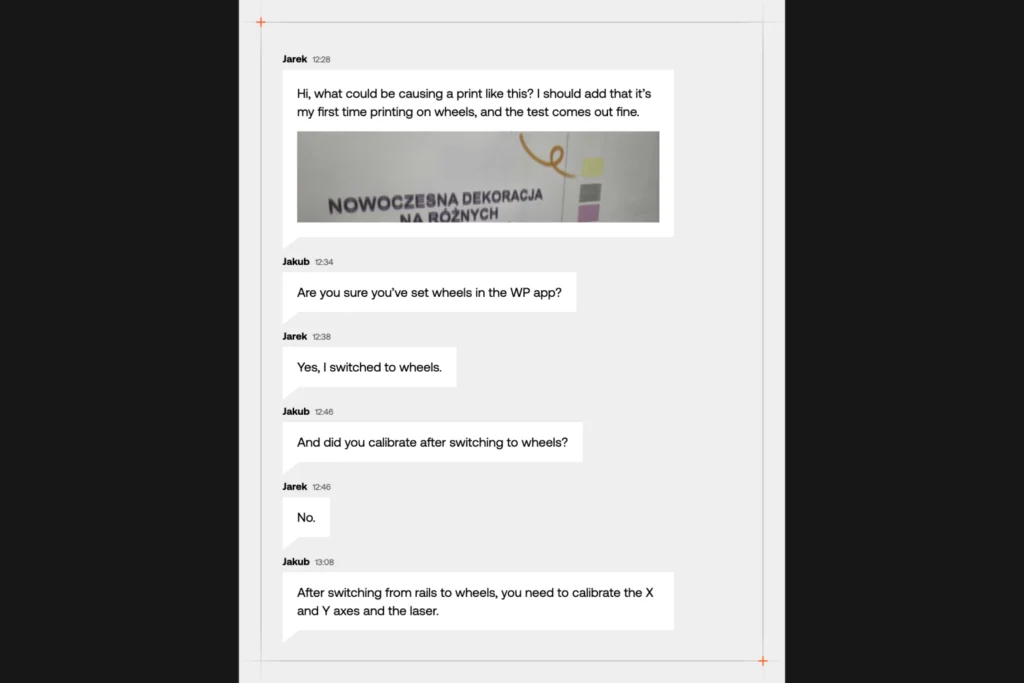
Every job means a new place, a new wall and a new client standing next to you. It helps to know there are people on the other side of the chat who’ve been through the same thing. Jarek was printing with his printer on wheels for the first time. The color test looked fine, but the print on the wall didn’t. He took a photo and posted it in the community chat.
Other operators asked him a few quick questions. Within 40 minutes, together they’d worked out what was missing: the calibration the printer needs the first time you switch it from rails to wheels. That’s often what help in the community looks like. You don’t need to know what the problem is called. You show what’s happening, someone with similar experience asks the right question and leads you to the fix.
Topic 2: Printhead and ink: what if flushing doesn’t help?
Like any machine, the printer works best when you look after it. Here, that comes down to a few simple routines:
- routine printhead cleaning (pumping ink through the whole ink system, printhead included),
- a nozzle check (so you know every channel is delivering ink properly),
- topping up and storing your inks,
- starting up and shutting down the printer the right way.
You’ll learn each of them step by step in training. And if you’re ever unsure later on, you just ask.
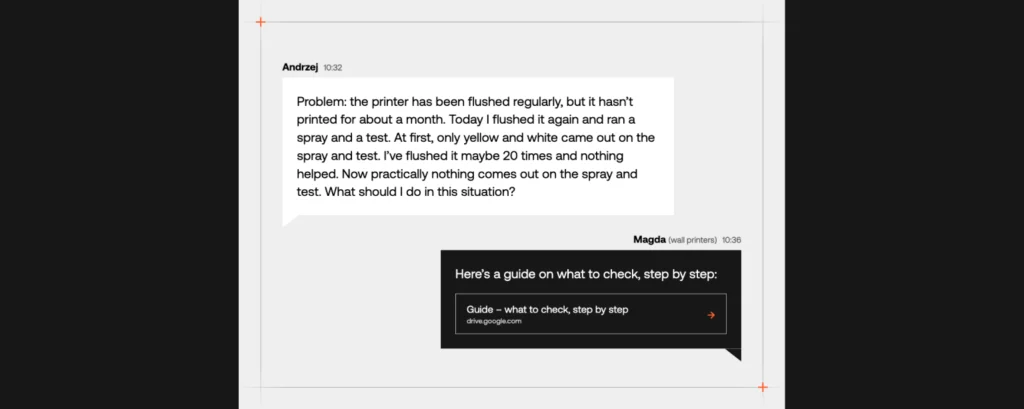
Andrzej was getting his printer ready for its first job after a month’s break. He ran a color test, but the result didn’t look the way it usually did. He flushed the printhead once, then again, but nothing changed. Instead of carrying on by trial and error, he described the problem in the community chat.
Four minutes later, the wall printers⁺ team sent him a link to a guide from a Google Drive folder where we collect fixes for the most common situations. He didn’t have to hunt for the cause online. He knew exactly where to start and what to do.
So what does Krzysiek, head of our technical team, have to say?
If the printer has been sitting for a month or two, run a spray and a test at your place before the job, not at the client’s. If the result doesn’t look normal, don’t keep flushing over and over. After two or three tries, message us with a photo of the test. Every extra flush just burns ink, and we can usually tell where to start from the photo alone.
Topic 3: Brick, textured render, glass: how do you print on unusual walls?
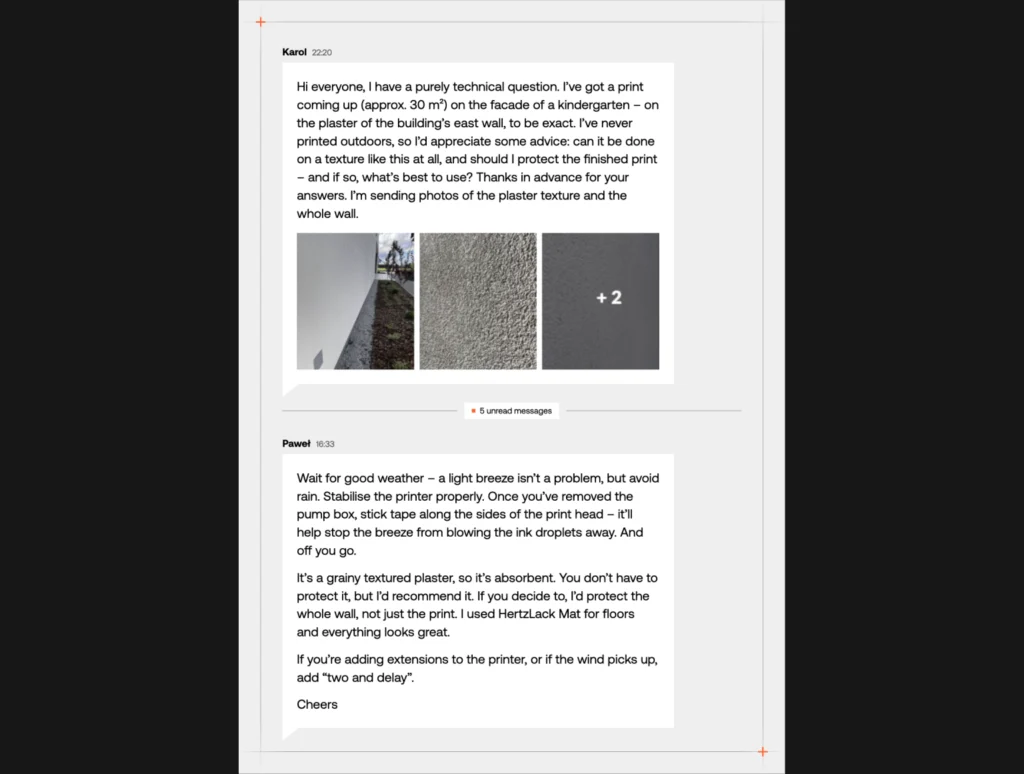
Every surface behaves a little differently: plaster, brick, glass, tiles. That’s why it pays to learn from people who’ve already worked on them. That’s exactly what Karol did. He was planning an outdoor job: a mural on about 30 m² of a preschool’s facade, on rough render. Until then, he’d only printed indoors. He asked the chat straight out: I’ve never done this before, what do you recommend?
Several operators replied. He got a ready-made plan: what weather to book the job for, how to set up the printer, how to shield it from the wind and which varnish to use to protect the whole wall. One community member even named the exact product he’d used himself.
Karol was also worried about where to put breaks in the print (the whole design was one continuous graphic in a single color). That’s where he got the kind of advice only a practitioner can give. An experienced operator suggested offering the client a few extra colors. The mural would look more interesting, the breaks would be easier to hide, and the job would be worth more. In the community, the help doesn’t stop at the technical side!
Topic 4: White underbase: when and how should you use it?
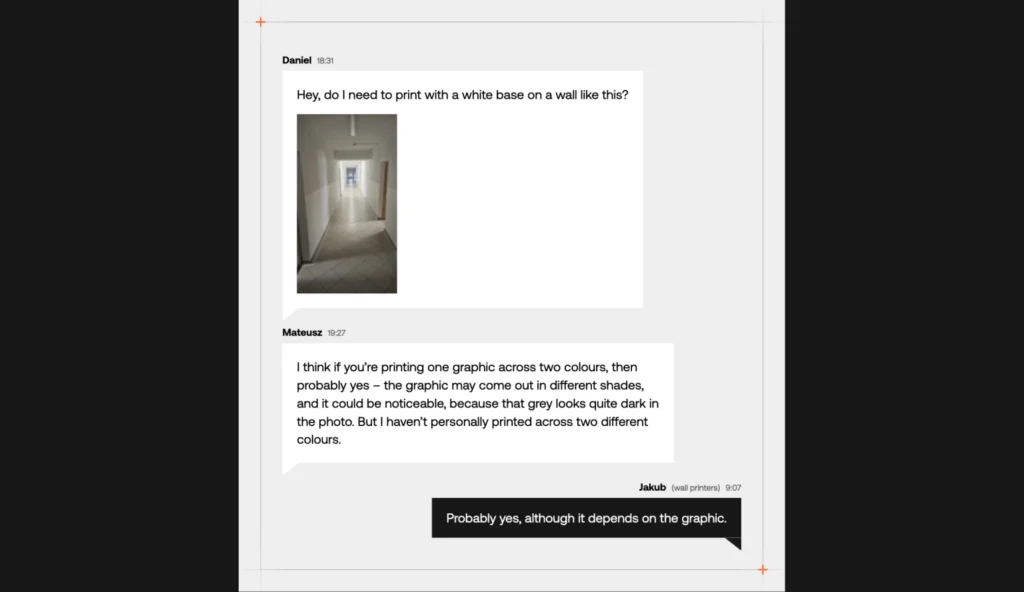
A grey or colored wall doesn’t have to mean dull graphics. All you need is a white underbase: a layer of white ink printed underneath (set up beforehand in the graphic file). It keeps colors vivid and true to what you see on screen. Print with an underbase when you’re working on a dark, colored or transparent surface.
You don’t always need one, though. Dark elements, like black lettering on a light wall (even a colored one), cover well and look crisp without it. In that case, you save both white ink and time.
Not sure whether to use a white underbase? Don’t guess. Just take a photo of the wall. Plenty of operators do exactly that when they’re starting out. The answer usually comes quickly: sometimes from another operator, sometimes from our team, and often from both at once.
Wojciech was more than halfway through a job when the printer signaled it was running low on white ink. He posted in the chat and within minutes he knew what to do: pause, top up the ink and carry on printing.
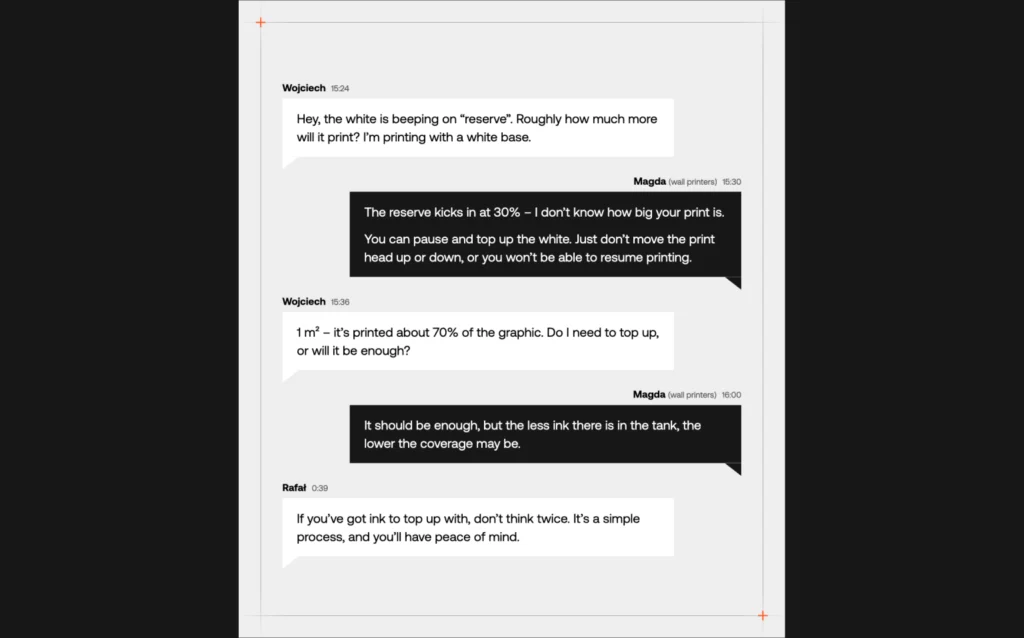
Topic 5: Where can you get help when a client’s file isn’t print-ready?
Clients often come with their own graphics: a phone photo, a design they found online or an AI-generated image. Not every file like that will work on a big wall. It’s another situation where the community helps get the job over the line.
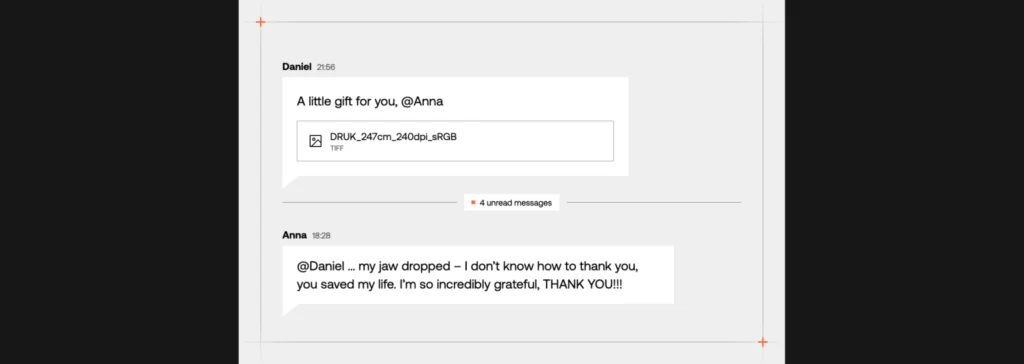
The best example? A story that ended with “You saved my life!”
The owner of a wall printing studio got a graphic from a client, made in ChatGPT, for a wall almost 2.5 meters wide. The client wanted that exact design, but the file’s resolution was too low. She asked in the chat if anyone had an idea how to handle it. That same day, another operator sent her a reworked file in the right quality.
In the community, operators don’t treat each other as competition. Every one of them remembers their first jobs and the questions they came with back then. Many of them got help from others along the way, so today they’re happy to pay it forward.
Summary: once you buy a wall printer, you’re not on your own
Everyone who starts printing has questions at the beginning. The difference is whether you have someone to ask. With wall printers⁺, you get access to people who print every day and are happy to share what they’ve already figured out.
That’s the kind of help that comes with the 360° Support add-on: a technical chat open every day from 8 a.m. to 10 p.m., plus the private operator community. So you can count on an answer in the evenings and at weekends too, which is exactly when a lot of jobs actually happen. For your first steps in business, you also get a portfolio of 25+ completed projects to show clients. On top of that, you get 20% off inks and parts in our online store for a full year.
This November, we want every new operator to have that help from day one. That’s why, from November 1 to 30, 2026, as part of Black Friday, we’re adding 360° Support to every wall printer⁺ pro order:
| Package | What you get with Black Friday |
|---|---|
| Basic | Full 360° Support at no extra cost (worth PLN 4,900 net): technical chat 8 a.m.–10 p.m., 7 days a week, the private operator community, a portfolio (25+ projects) and 20% off in the online store for a year |
| Standard | The remaining parts of 360° Support at no extra cost (worth PLN 3,900 net), since the community is already included in your package |
| Premium | 360° Support is already included, so we’re taking PLN 5,900 net off the printer price |
Wondering if wall printing is right for you? Let’s talk. Tell us where you’d like to start, and we’ll show you what your first weeks with the printer look like: training, first jobs and the support you can count on. We’ll also walk you through what Black Friday means for you.
Leave your details and we’ll get back to you.
FAQ - wall printing community
It's a private Slack chat where over 400 wall printing business owners share knowledge and help each other. Questions get answers from both experienced operators and the wall printers⁺ technical team.
Based on around 120 threads from the wall printers⁺ community, early questions most often cover five topics: setting up and calibrating the printer, the printhead and ink, surfaces and protecting the print, white underbase, and graphic files from clients.
The wall printers⁺ support team replies in under 3 minutes on average during chat hours. Other operators answer questions in the community chat too, so help often comes from two directions at once.
Because one question can get answers from several people with different experience: the wall printers⁺ technical team and operators who've handled a similar situation in practice. Many of them remember their first jobs and the questions they had back then, so they're happy to share what they've learned.
Clients with the Standard or Premium package, or with the 360° Support add-on, get access to the private community. 360° Support also includes a technical chat from 8 a.m. to 10 p.m., 7 days a week, a portfolio of 25+ projects and 20% off inks and parts for a year.
Not sure if this business is for you? Want to know the details or get started right away?
Discover the collaboration opportunities available to you and learn how to get started—even if you lack capital, a business of your own, experience, or prior knowledge. We will teach you everything.
See more
[ratemypost]
Blog
Explore our resources
Have a look through our knowledge base. We’ve put together articles, videos and answers to the questions people ask most before getting into wall printing.
Our process
Discover our collaboration process
Take the first step and we’ll do the rest
Send the form and we’ll email you our price list straight away, with all the packages and what’s included. One of our advisers will be in touch within one working day. No hard sell, just answers to your questions.

Your data is safe
Step 1: Choose your location
Step 2: Fill out the form